🇬🇧 VS Code Formatting Pack – Pro Version
Description
Palks Studio – VS Code Formatting Pack – Pro Version
A complete, ready-to-use environment for Visual Studio Code, designed for developers who want to code without spending hours on configuration. You open VS Code — everything is already clean, aligned, indented, and stable.
No external dependencies. No conflicts with Prettier, Black, or Run on Save. Everything is documented, controlled, and reversible.
All documentation, scripts, and functions are fully in English.
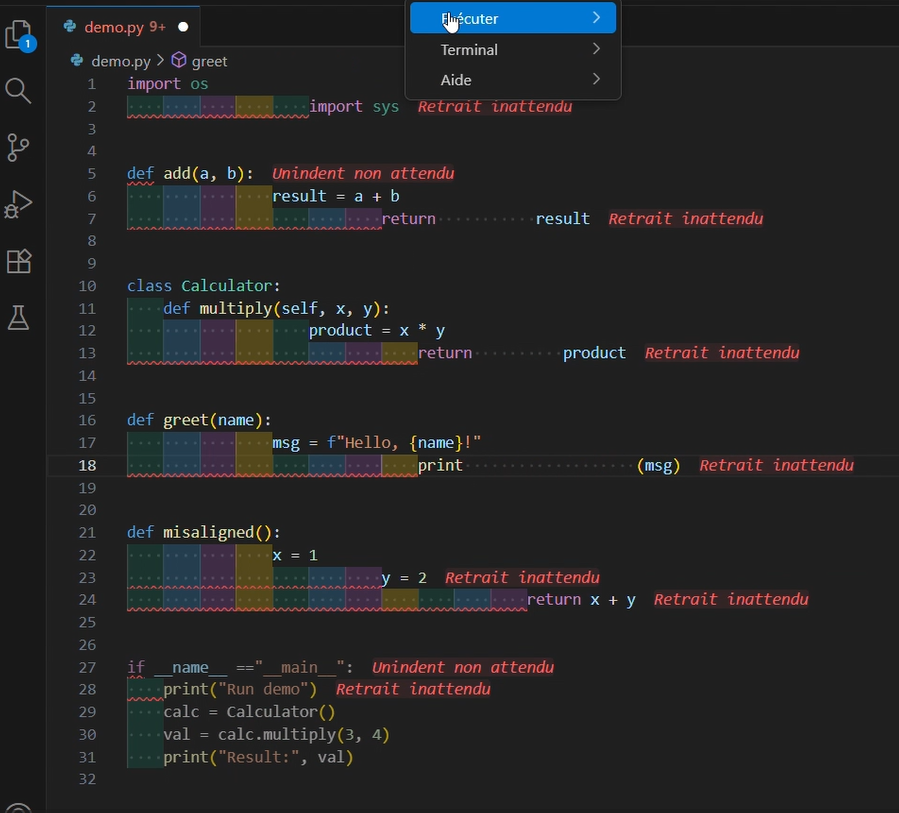
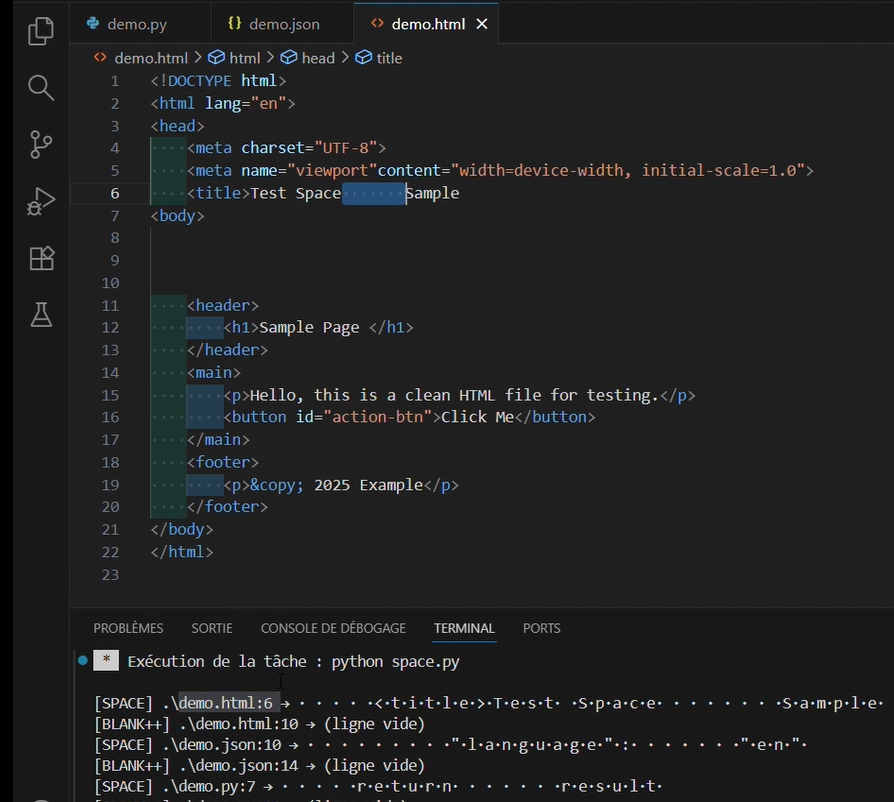
Only the demo videos show French system elements (VS Code tabs, terminal messages), because they depend on my OS language.
Pack Contents
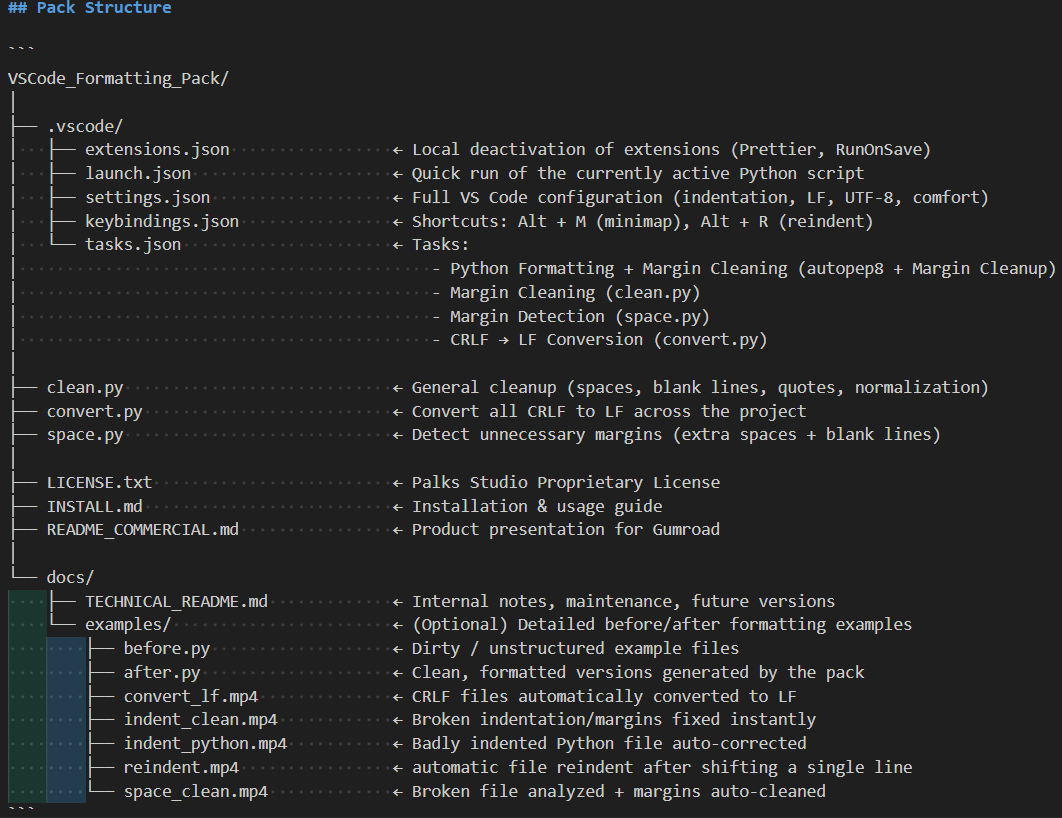
Integrated VS Code Settings
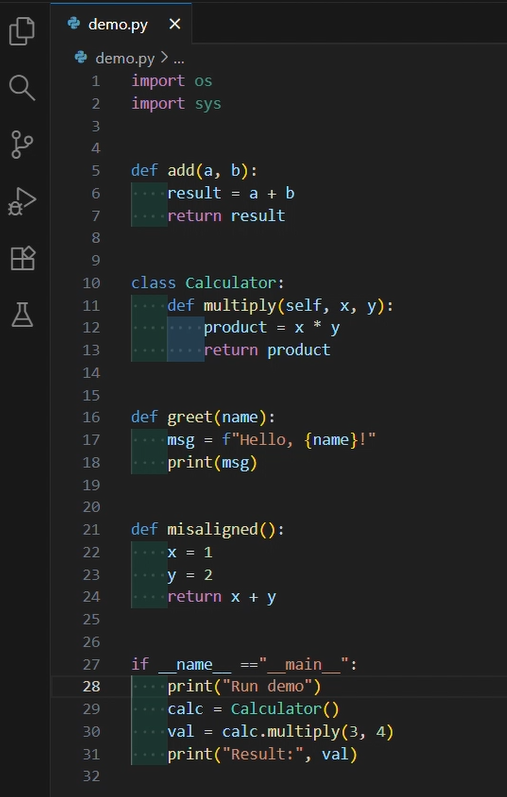
- Uniform indentation (4 spaces)
- Forced UTF-8 encoding
- LF line endings (Linux / macOS / Git compatible)
- Display of significant whitespace (
renderWhitespace) - Visual comfort optimized for long coding sessions
- Local deactivation of Prettier and Run on Save to prevent conflicts
Automated Tasks (Terminal → Run Task)
- Python formatting + margin cleanup (
Autopep8+clean.py) - Margin cleanup only (
clean.py) - Margin detection only (
space.py– read-only) - CRLF → LF conversion (
convert.py)
Integrated Keyboard Shortcuts
Alt + R→ instantly re-indent the active fileAlt + M→ show / hide minimap
Included Python Scripts
clean.py→ removes useless spaces, tabs, excessive blank lines, fixes quotesconvert.py→ converts all CRLF (Windows) line endings to LF (Unix)space.py→ detects margin issues (multiple spaces, tabs, trailing spaces, blank lines > 2)
Demo Folder (docs/exemples)
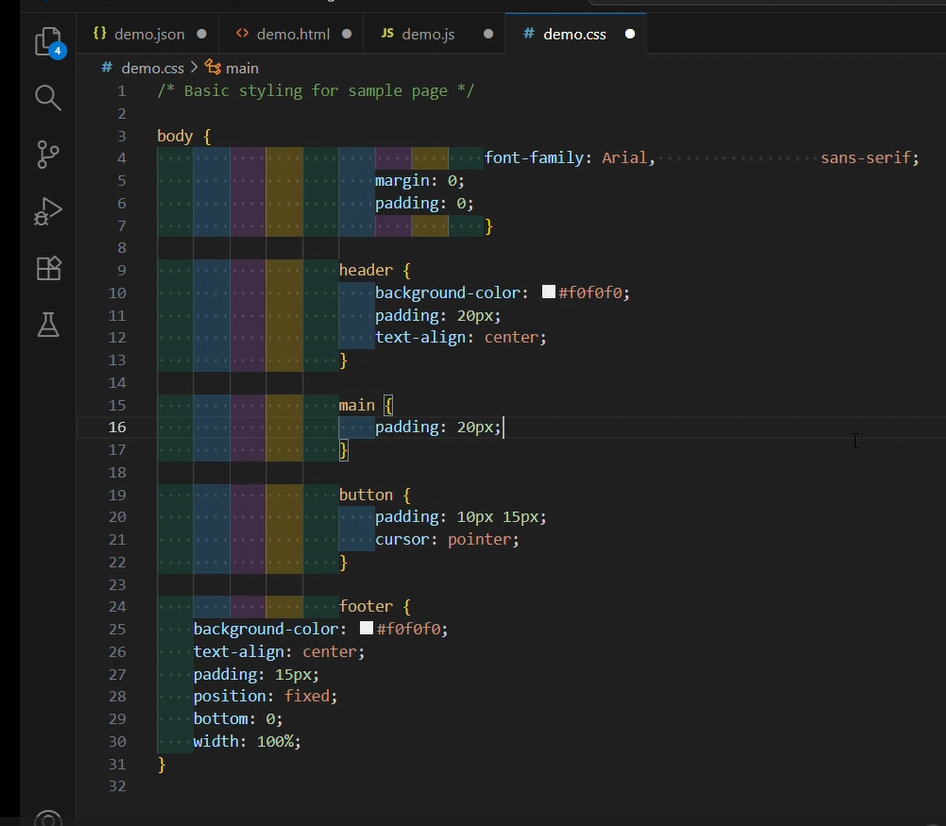
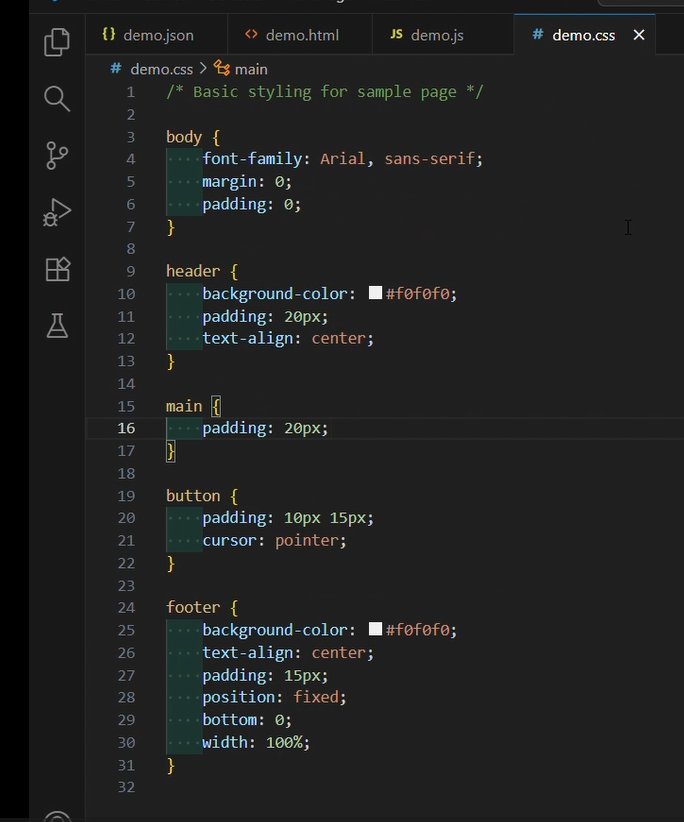
- Before / after files (
avant.py,apres.py, HTML, CSS, etc.) - Demo videos:
convert_lf.mp4– automatic CRLF to LF conversionindent_clean.mp4– broken file auto-correctedindent_python.mp4– Python indentation repairspace_clean.mp4– margin detection
Included Documentation
INSTALL.md→ quick step-by-step installationREADME_COMMERCIAL.md→ full product overviewREADME_TECHNIQUE.md→ internal logic, updates, maintenancedocs/exemples/→ before/after comparisons and real videosLICENSE.txt→ usage license (personal & commercial terms)
Available on :
- Gumroad
- Itch.io
- Ko-fi
How It Works
- When you open the folder in VS Code, all settings are applied automatically.
- To clean and format: Terminal → Run Task → choose the desired action.
- No manual configuration required.
- All scripts work offline.
- Zero risk: the
_backups/folder saves files before modification.
Use Cases
- Developers who want a clean VS Code environment instantly, without setup
- Creators of Python / HTML / CSS / JS / JSON projects
- Freelancers or teams needing a consistent setup across multiple machines
- Teachers, schools, or educational documentation
Compatibility
- Visual Studio Code 1.90 + (2025)
- Windows 10 / 11, macOS, Linux
- Compatible with Settings Sync
- Works offline — no server or paid extension required
License
Personal and professional use allowed. Resale or public distribution prohibited without written permission from Palks Studio. © 2025 Palks Studio
Purchase
In order to download this tool you must purchase it at or above the minimum price of $73.10 USD. You will get access to the following files:
Leave a comment
Log in with itch.io to leave a comment.